Delivery bookings and why they're worth offering
A ‘delivery’ type booking is where a van is delivered to the site and set up, ready for the hirer to stay. It must stay on site, and the hirer doesn’t move it for the duration of the booking. This is suitable for hirers who don’t have the appropriate tow vehicle, and it gives you more control over how the vehicle is used.
Delivery is a convenience that makes all the difference to attracting more bookings - and a great time to build a relationship with your local caravan park!
Delivery insights (in the last 12 months)
- Over 7,000 delivery bookings
- $185 is the average cost charged for delivery
- 70 kilometres is the median delivery distance
What delivery actually means for you:
- You choose your radius. You set how far you're willing to deliver — 10km, 30km, 50km. We encourage you to consider the top caravan parks in your area and make this clear on your listing.
- You set the delivery fee. This is a separate fee the hirer pays on top of the daily rate. It covers drop-off and pick-up of the vehicle. You set the amount based on the distance per kilometre each way.
- You can also offer free delivery by setting the delivery fee to $0 and building the cost into a slightly higher daily rate. Hirers see "free delivery", and it's immediately more appealing — you're not out of pocket, you've just repackaged the cost in a way that converts better.
- Delivery booking optimisation - Ask for site details—location, type, and dimensions—upfront. Use your Welcome Message (Listing > Manage > Description) to automate these questions. Clarify check-in and check-out times early. These dictate when you can access the site for drop-off and pick-up, regardless of the hirer's personal schedule.
- Expand your reach - Adding a 20–30km delivery radius significantly increases your visibility to hirers searching specifically for delivery-only options.
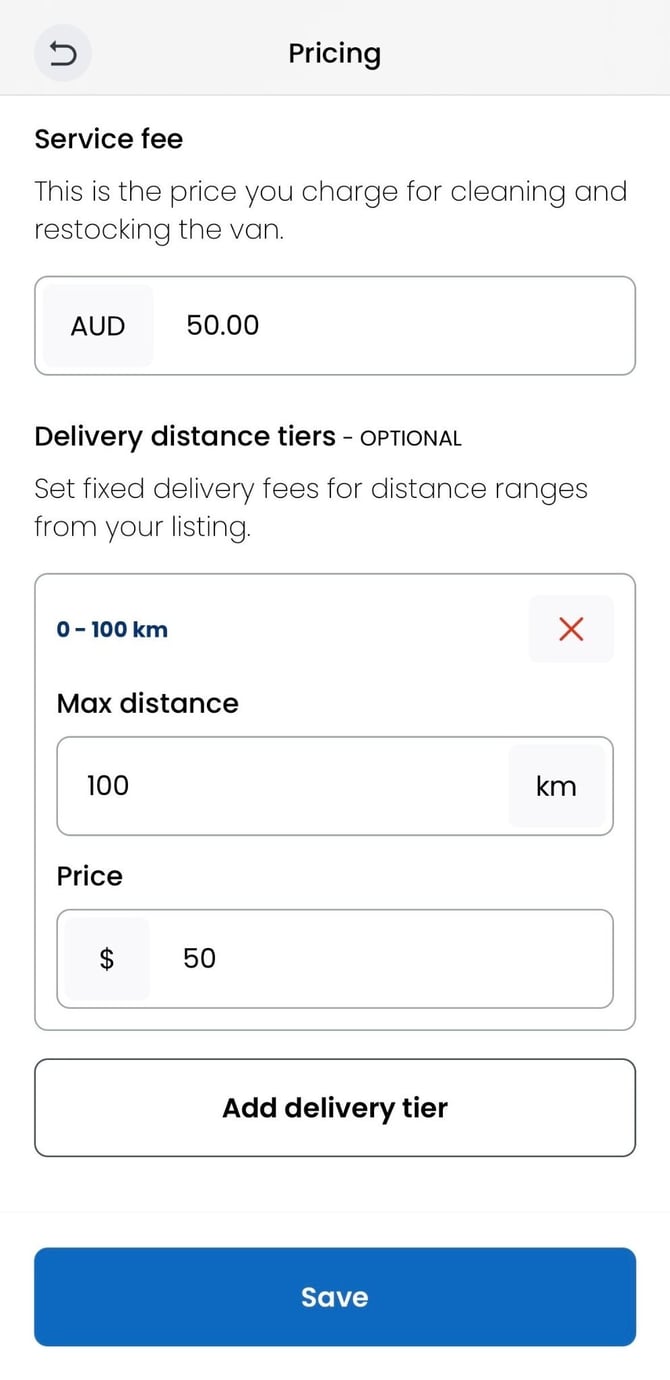
- Set delivery tiers in the 'Pricing' section of your dashboard. You can set up to 8 tiers with a price based on distance, i.e. tier 1 = 20km for $20, tier 2 = 50km for $50, tier 3 = 100km for $100.
How to add ‘Deliver’ hire type to your listing
- Log in to your owner dashboard
- Go to your ‘Listings’ section of the dashboard
- ‘Manage’ the listing you want to update
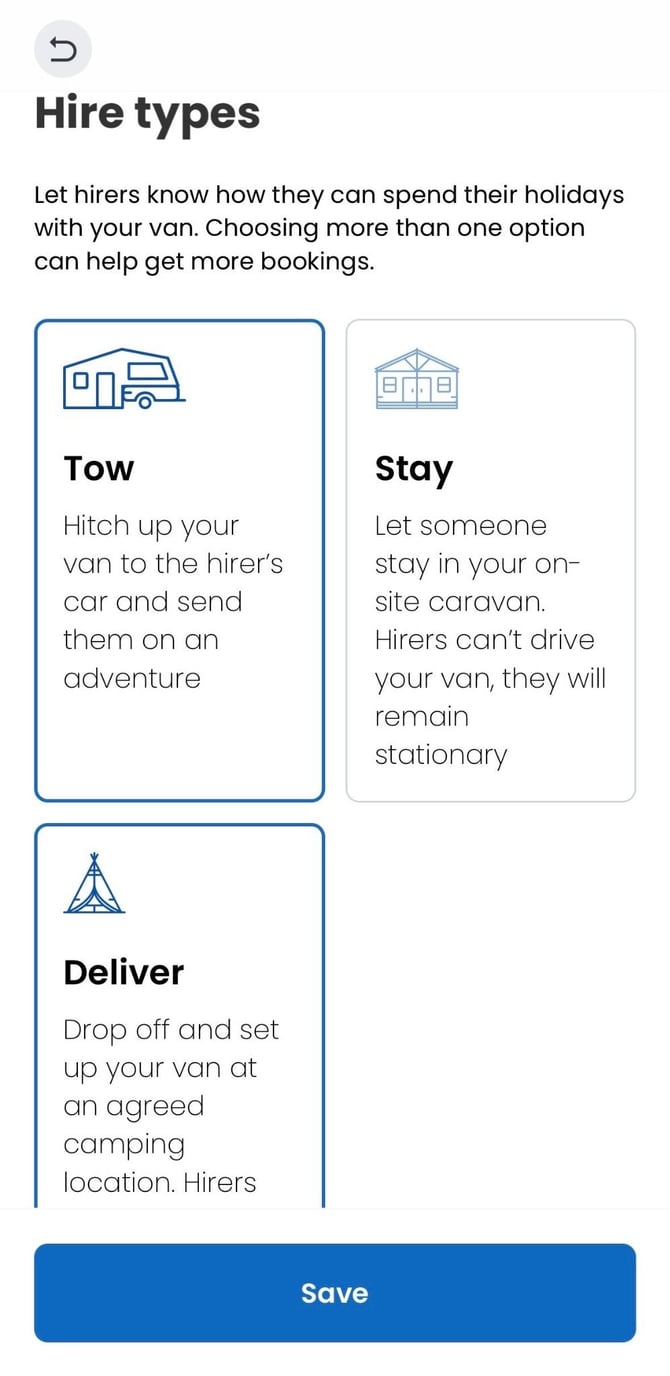
- Go to ‘Hire types’ in the left-hand menu, select the ‘Deliver’ option, and hit ‘Save’
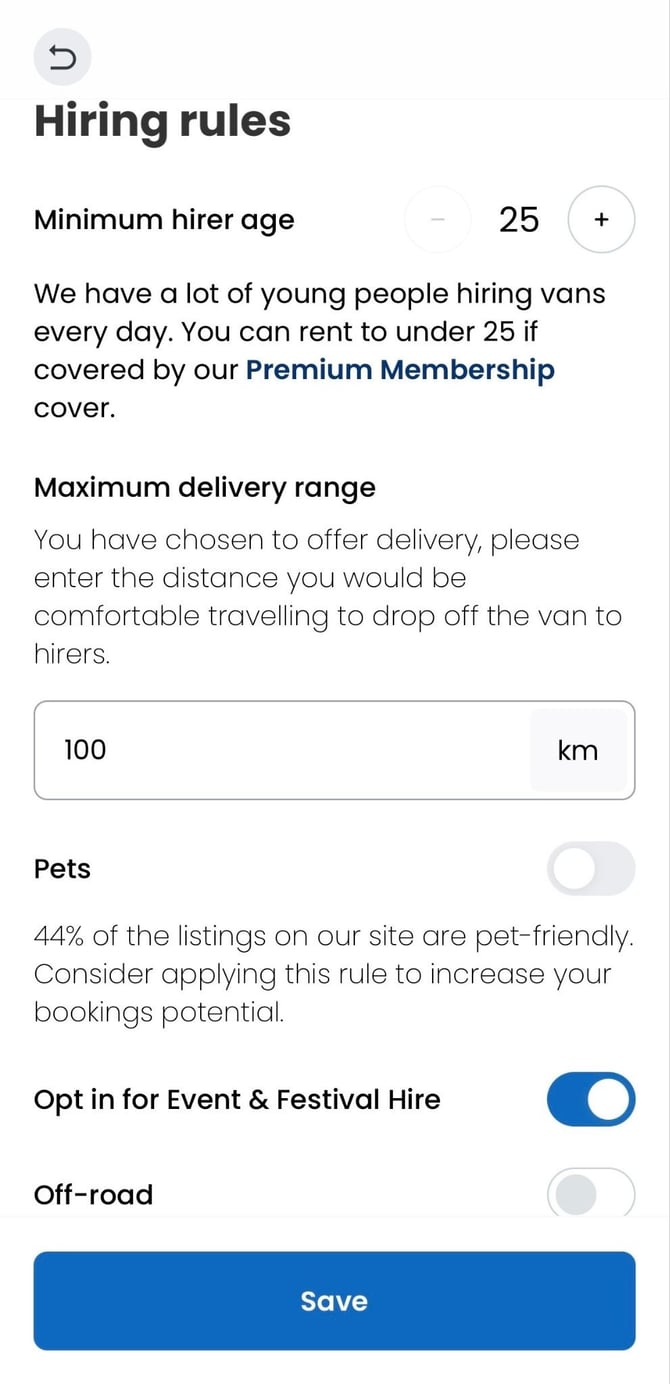
- Navigate back and go to the ‘Hiring rules’ section in the left-hand menu, set your maximum distance, and hit ‘Save’
- Navigate back and go to the ‘Pricing’ section in the left-hand menu
- Scroll down the bottom of the pricing section to ‘Delivery distance tiers’ and select ‘Add delivery tier’
- Set the distance and price (up to 3 tiers) and hit ‘Save’